Thank you, Datadog
Two years ago, I joined Datadog as a product designer.
I did not know what to expect. I was placed on a different team than my internship, Data Jobs Monitoring. It was my first job out of college. A lot went through my head. Lots of uncertainty. Would I perform well? Lots of self-doubt. What if the team doesn’t like me?
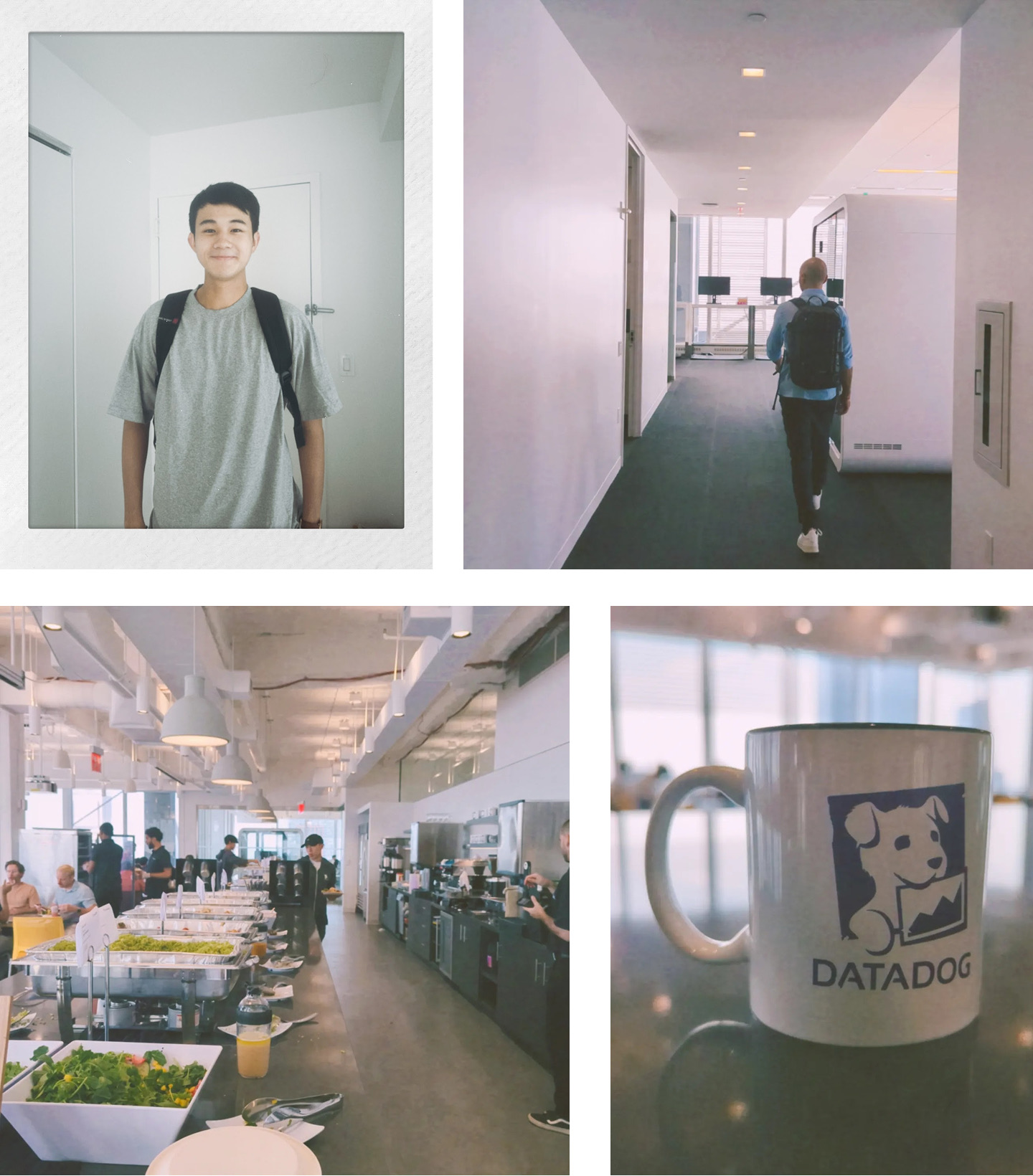
Fast forward to Sep 25, my last day at Datadog. Two years have passed. It’s a strange feeling. I’m sad. Sad that I’ll no longer work with some amazing teammates. But also excited. Excited for this new role and the opportunities to grow. And again, that feeling of the unknown rushing back. The need to restart and to start from ground zero. It’s strange.
A lot happened during my two-year tenure at Datadog. So, I want to capture everything I’ve learned working at Datadog. And most importantly, the memories made.
What I learned
I like technical product design
Saying this feels like a full-circle moment. I remember reading Vanessa Ng’s presentation on technical product design back in college and was fascinated by her work and the complexity. Shoutout to Billy for sending it to me if I remember correctly. At the time, it was so different from anything I’ve worked on. That presentation was a huge reason why I chose to intern at Datadog instead of LinkedIn. I wanted to experience what it means to design in a technical field, and Datadog was the perfect place for it.
After two years designing for data engineers, I can confidently say that I do enjoy technical product design. Why? It boils down to two reasons.
Going from complex to simple
Vanessa puts it well:
Technical product design involves designing for users with deep domain knowledge.
With that comes a responsibility as a designer to learn. Learn their language. What is a trace? Map out their workflow. How do they troubleshoot a failed pipeline? Understand their expectations. What existing tools do they use? All of that was unfamiliar to me at first. It was intimidating. A lot to learn.
Learning something new and complex is hard. It takes time. And intense thinking and processing. And putting yourself into the deep end of projects, struggling, and asking ‘dumb’ questions. But for me, that’s the only way to truly learn. And once you start to make sense of the information, that’s when the magic happens. It’s that “a-ha” moment when something complex finally clicks. It’s rewarding, and that gets amplified when the user tells me that the experience I designed for them works well. It’s the sense of accomplishment knowing that I put in the hard work to learn something completely out of my field and am still able to design a simple, intuitive experience.
We’re designing a new job monitor because the existing legacy monitor tracks time periods rather than what jobs operate on: Runs. This sentence won’t mean anything to you. But when I figured this out, I was so happy.
The visual possibility
Enterprise software has been notoriously ugly. On one hand, that means suffering for the eyes. On the other hand, if you’re positioned in an org that actually cares about upleveling that, then you have lots of possibilities to flex and experiment.
It’s the latter that excites me. Beautiful technical products. To name a subjective few: ElevenLabs, fal ai, exa, parallel, felt. I mean, just look at this video posted by Nev Flynn, Head of Design at ElevenLabs.
It comes down to care. Oftentimes, obsessive care on the “seemingly small” details. I like how Adam Ho, head of design at fal ai, puts it here:
Necessarily unnecessary.
And it’s not just the visuals. It’s the entire experience of interacting with the product and the brand. This is even more important in the age of AI. Katie Dill, head of design at Stripe, puts it well here:
We spend half of our waking lives looking at screens. We want software that feels actually cared for [instead of ‘zombie UIs’]. That means having a little personality … It means having a point of view.
For me, it’s that endless possibility to improve the visual and interaction systems of a “supposedly ugly” technical product that excites me.
Building a great enterprise product is hard. And it’s not just design.
A bit of context. In April 2025, Datadog acquired Metaplane, a 30-person startup that helps companies detect and resolve data issues. It was a great fit as they joined to accelerate Datadog’s expansion into data observability. Then, a lot of work was put into introducing a new, merged product called Data Observability in June 2025, which eventually went to GA earlier this year in January.
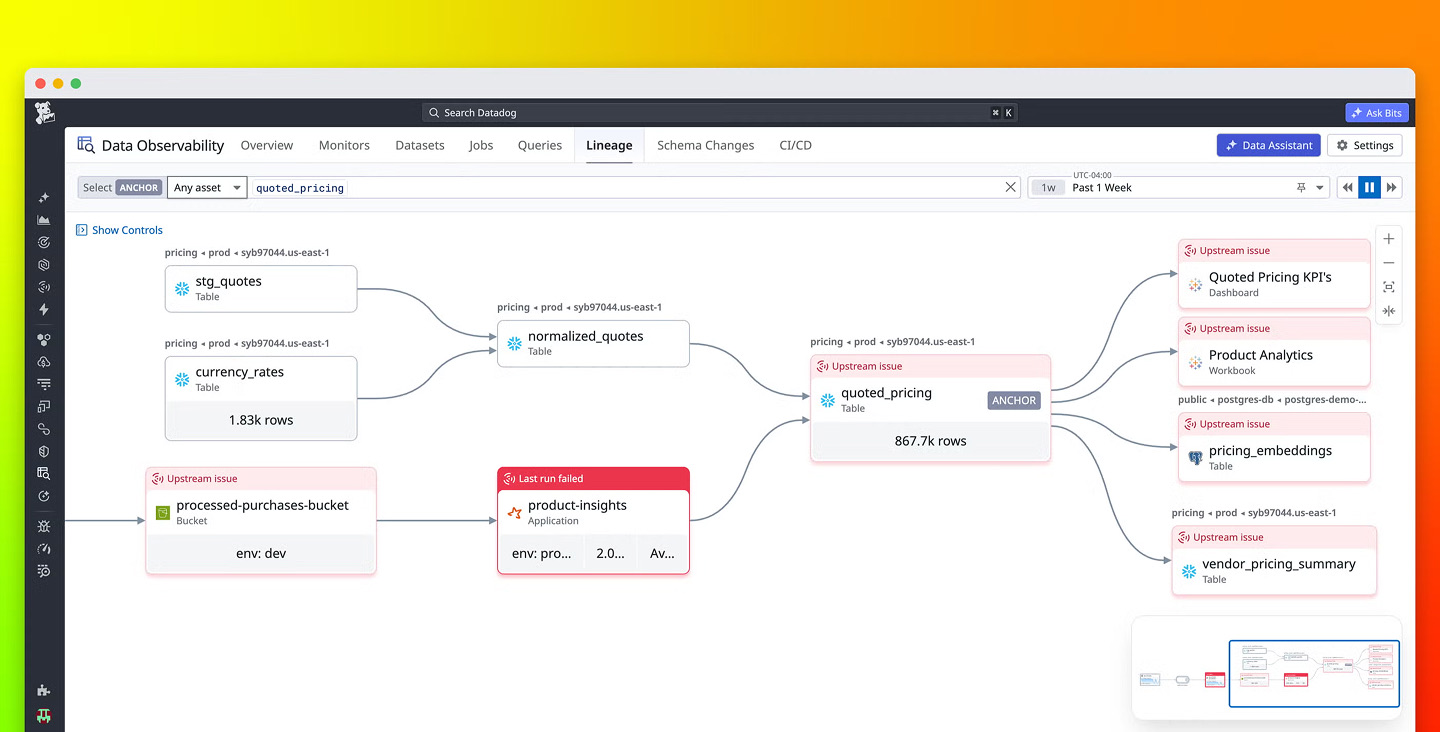
Compared to Datadog’s earliest products from 2010, our product is very new. Since GA, our team has grown, but it’s still relatively small compared to other product teams at Datadog.
Perhaps because of this, I got a bit more exposure to non-design areas, most notably sales and marketing. Now, I was not present in those conversations. But as a passive observer, I’ve grown a level of empathy and respect towards those fields because they’re incredibly crucial pieces for a product’s success. Obviously, the product needs to solve users’ pain points and wow them. But in the enterprise world, sales is crucial. How do you start a prospect call? How do you give effective demos to get them engaged? How do you handle all the requests from different prospective customers? How do you close a deal? Same with marketing. You launched a feature, now what? How do you publicize it? How can you make sure you’re the top result when people look for your area/industry? It’s an art form, really.
There’s just so much more involved in building a great enterprise product. It becomes a factory. So many things need to hit right for a product to land a customer and keep them. If I were to start over, I would schedule calls with star account executives and sales engineers to learn in depth about their processes. Or even sit in on one of those conversations to learn. One can learn a lot by watching how they give demos and talk about the product.
The best way to learn is to talk to customers
If I were to start over at Datadog, I would want to talk to more customers. I have done external interviews and usability testing, but not much in the latter half of my time.
It is a muscle to build up. At first, I was very intimidated. I mean - These are customers. They’re paying a lot to use our product. They’re not the same as those people I interviewed for college projects where there were no stakes. There’s real money involved here. I could not mess this up or else I’d ruin the business.
Then, the more I did it, I realized: They’re human beings too. They just want to get their job done. They want to be heard. They like when their needs are met. It comes back to what we’ve learned all along as designers - the fundamentals of user research and how to ask good questions.
Also, on my team, often a PM/EM would lead the customer conversations since they were active on deals. What I would have done differently is that, instead of me asking every time, I should have been much more proactive. Either provide the list of specific customers I want to talk to and join those calls. Or directly schedule calls via userinterviews.
This is something I want to do better in my next role. My goal is to attend/lead at least three customer calls and ask questions per week.
Don’t ask for permission. Ask for forgiveness. Bias towards action.
In the age of AI, the worst we can do as designers is to wait. Second is to keep asking for permission to do something.
Can I do xyz…? Should I build it out? Should I…?
As a new person, it’s fine to ask these. But at some point, it’s too much. First, it creates a sense that you’re very needy and can’t stand on your own. Second, with agents, anybody can ship production code. So use that to our advantage as designers.
Oftentimes, the best thing to do is to just build the thing. Build that prototype. Then, show it to others in the team to use or even show it to customers. I love what Gavin, a designer at OpenAI, said about his focus on prototyping to find the right direction:
I believe in ideas over opinions, prototypes as the most valuable tool for collaboration, and exploring one hundred ideas to find the right one.
How to use AI with intention
I’ve been thinking about this a lot.
A year and a half ago, Ryo Lu, ex-head of design at Cursor, posted about Baby Cursor on Twitter. It was the first time I saw a designer fully embrace AI coding for a real, useful case, and it was incredibly inspiring.
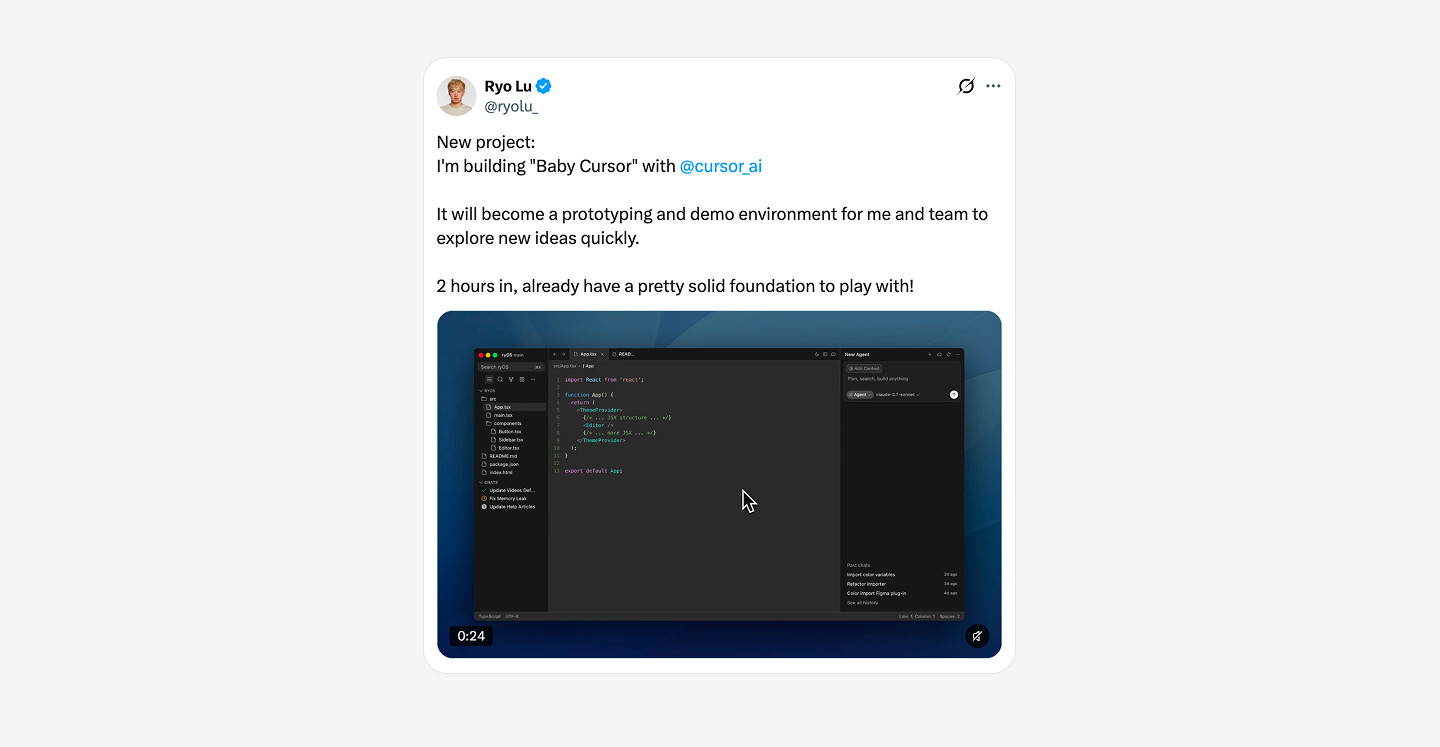
After that, I became obsessed with building with code. All I wanted to do was build a direct replica of the real thing. Then build my ideas in that. I did it to show that I have the skills. It was also just cool to interact with what I built. It got to a point where I stopped using Figma. Not even pen and paper. I would just jump straight to code. Who even uses Figma anymore?
But at some point in that arc, I became hyper-fixated on producing interactive artifacts in code. Look! I built out the entire app in code! See how cool this is! I spent a lot of time on this.
It was strange and led to several problems. I often couldn’t communicate why some parts of the prototypes were the way they were. What AI outputted seemed ‘okay’ so I didn’t think much. I stopped considering how the design would work in different scenarios. Oops, I didn’t think of that. I was so fixated on building this out. I would jump onto one narrow direction and run with it. I’ve already spent so much time on this direction though…
As you can tell by now, I was lost. I stopped thinking critically. I stopped exploring every possible different idea (see “Conceptual Range” by Josh Puckett). I was accepting AI output that looked fine on the surface, only to realize later that it didn’t make sense once I dug a bit deeper. I was accepting 80% of outputs from AI and not taking it to 100%. In short, I stopped being thoughtful.
So, it feels weird, ancient even, to say - but I’m back in Figma. I’m even more convinced of its importance. Pen and paper are also back. I still use Claude Design and Codex. But I’ve become significantly more intentional about how I use them. Claude Design and Figma are great for early explorations, but Claude Design is not for production design. Figma is.
I love creating a bunch of iterations in the Figma canvas - that feeling is irreplaceable. Part of this is the clarity that comes with manual explorations. By being very intentional about the explorations and decisions behind each, when I communicate with others, I can express my thoughts in a much more streamlined and clear way because I did the hard work. I’ve explored all the possibilities (or the ones I thought of), and here is what I, not AI, propose.
Now, I see AI as a tool and a partner, but not the main driver. I am. I still need to go through the hard work of learning, drawing diagrams, exploring wide ranges of ideas, and thinking deeply. What’s the problem? Is this the right problem? What are all the possible ways we can tackle this problem? What are the different scenarios? Does this direction make sense with our system?
On this learning, I wanted to shout out two designers. The first is Catt. Thank you for giving a Config talk about how the canvas is not dead when everyone was saying Figma is dead. It was the first time my move back to Figma, to the visual canvas where I can explore freely and intentionally, felt validated. The second is Isha from Linear. Though we’ve never met, thank you for expressing what has been in my mind for the past few months so beautifully in this interview.
How to learn new concepts
The constant of working in technical product design is that you’re always learning new concepts. What I’ve learned is that I cannot rely solely on AI for this. I’ve tried. It didn’t work. Why? Because oftentimes, I was just reading. I was not processing. I was not internalizing the knowledge into my own. I was not applying.
I’ve learned that the best way to learn is to do the hard work. This came from observing Sarrah when she onboarded onto a new team. The amount of work she did to truly understand the concepts, the users, their workflow, competitors, and more was incredible. Flowcharts, documents, drawings, user journey maps - you name it. She did it all.
But I had a lingering question:
Why do all this manual work? Can’t you just tell AI to tell you all this?
Plus, nobody will see those except her. Then, after chatting with her, I realized: These artifacts don’t matter. What matters is the clarity and level of understanding that comes with them.
It’s just an artifact. This line is something I constantly need to remind myself. It’s tough, especially when I’ve spent a lot of time creating a diagram or a well-crafted prototype, but at the end of the day, it’s just an artifact. It’s meant to serve a purpose. In her case, it’s for her to quickly onboard, learn new concepts, and form an opinion on where the product should go. If she can do that, who cares if the PM sees her huge FigJam file or not?
The best way to learn is to really put in the work. To struggle. To not know what you’re doing but still trying. Then, you come out stronger on the other side of the mountain. Along the way, you can use AI to help you synthesize, summarize, or explain like you’re five. But you should still do the work to process and apply the knowledge.
Memories I’m taking with me
So much has happened in two years. Here are the memories I want to capture, in no particular order.
1. The first project that truly gave me glimpses of confidence
Before Datadog, I’d never designed for technical users. In the beginning, I was trying my best to learn and contribute. Learning all these new terms was already a lot. Proposing an idea on my own? No shot. But eventually I did it.
What happened was that I had been in several customer calls, and I noticed this recurring pain point. So, I became passionate about solving this problem. I had some conviction, and luckily Joe, one of the OG engineers, also felt very strongly about this.
I wrote and shared a full proposal of the specific changes to make, ordered by priority. I led discussion meetings. I ran three quick internal user tests, synthesized everything in less than one day, and aligned the team on the direction. From where it started (no engineers and not many people cared, to be honest) to the project being tasked with an engineer and added to next quarter’s OKRs, this was the first time I felt this:
Okay. I can do this. I can dig deep into a complex field, identify problems to solve, find champions, and ship improvements.
For a new designer, that was everything for me.
2. Riffing with Joseph on the future of Data Observability
I really enjoyed the times when Joseph (designer), my first mentor, and I would jam a lot on what the future of data observability could look like. He was the one leading the charge, and I was honestly just glad to be there and help out whenever I could.
I remember during one of our team on-sites, we were jamming late at night, so Joseph could share something with the team first thing the next morning. I don’t remember what we landed on since it’s been a while, but I remember it was something we were both excited about.
Joseph - Thank you for being such an incredible mentor. I’ve learned so much from you about prototyping, communication, and AI workflows.
3. Working with Sarrah on GA on Data Observability
After our team acquired Metaplane, Sarrah (designer) and I worked very closely for the GA of Data Observability. At the time, we had all the bits and pieces, but the product felt a bit Frankenstein-y. So, our task was to audit every single page and ensure that everything was consistent before launch. It was a grind to audit so many pages and design improvements at the same time. But we got it done.
Looking back, I’m super proud of the work I did with Sarrah. Through audits and improvements, I also gained a deeper sense of all the surfaces of my product.
Now I have to say - Some mistakes were made on my end. There were certain designs that were not shipped, and that was me not being diligent enough. That was a lesson I learned early on - It’s my responsibility to follow through on designs. What matters is what actually ships and not what’s only in Figma.
4. Designing the official Data Observability logo
This was a special one.
During our audits, we realized that there was a small yet crucial task: Design the official logo. It would live in the official Datadog main navigation. It would be represented in our product and all over social and marketing. No pressure.
It felt like a daunting task. For an early designer like me, this almost felt … inappropriate to do. But I threw all those thoughts to the back of my head. I’ve done this before in college, heck yes! I volunteered.
Turns out, logo design is hard. Very hard. Why? Because everybody has an opinion of what “Data Observability” should look like. Should it be a database shape? A table? An abstract shape? Needless to say, I explored them all.
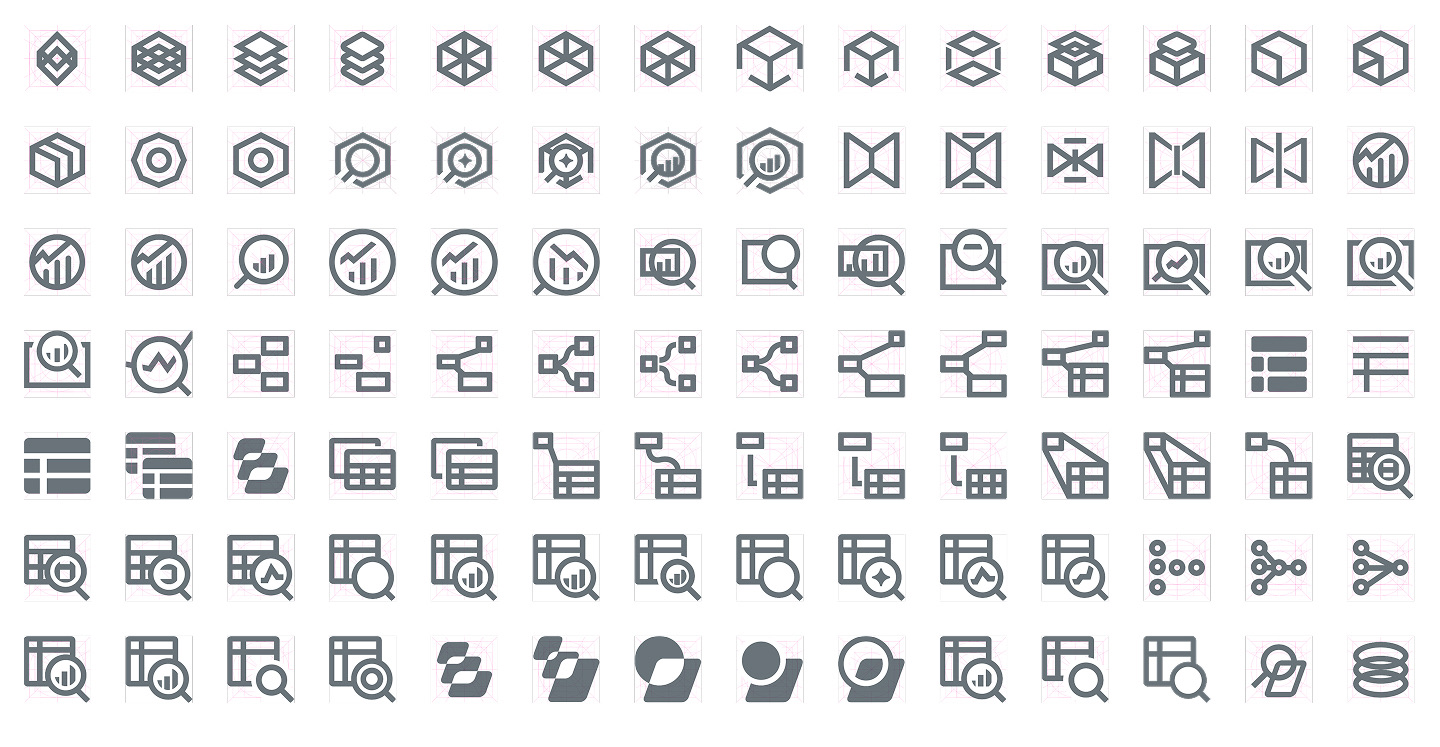
I always come back to one of my favorite video series ever - Futur’s rebranding for Hamilton Family Brewery. That image of a sea of faded logo explorations is ingrained in me. To me, that’s true exploration. I knew to get this right, I had to go crazy and explore a gazillion options.
But how does one decide amongst the sea of options? That’s where principles shine. Those were agreed upon with Sarrah and Kevin (PM and Co-Founder of Metaplane — by the way, I’ve learned so much from you about building a great product). The logo needs to…
- Be recognizable
- Relate to “Data”
- Fit within the Datadog icon ecosystem
- Work in small sizes
The last principle was crucial for filtering out ones that I thought looked great in large sizes. Because when I mocked those up in the Datadog main nav, they looked cluttered.
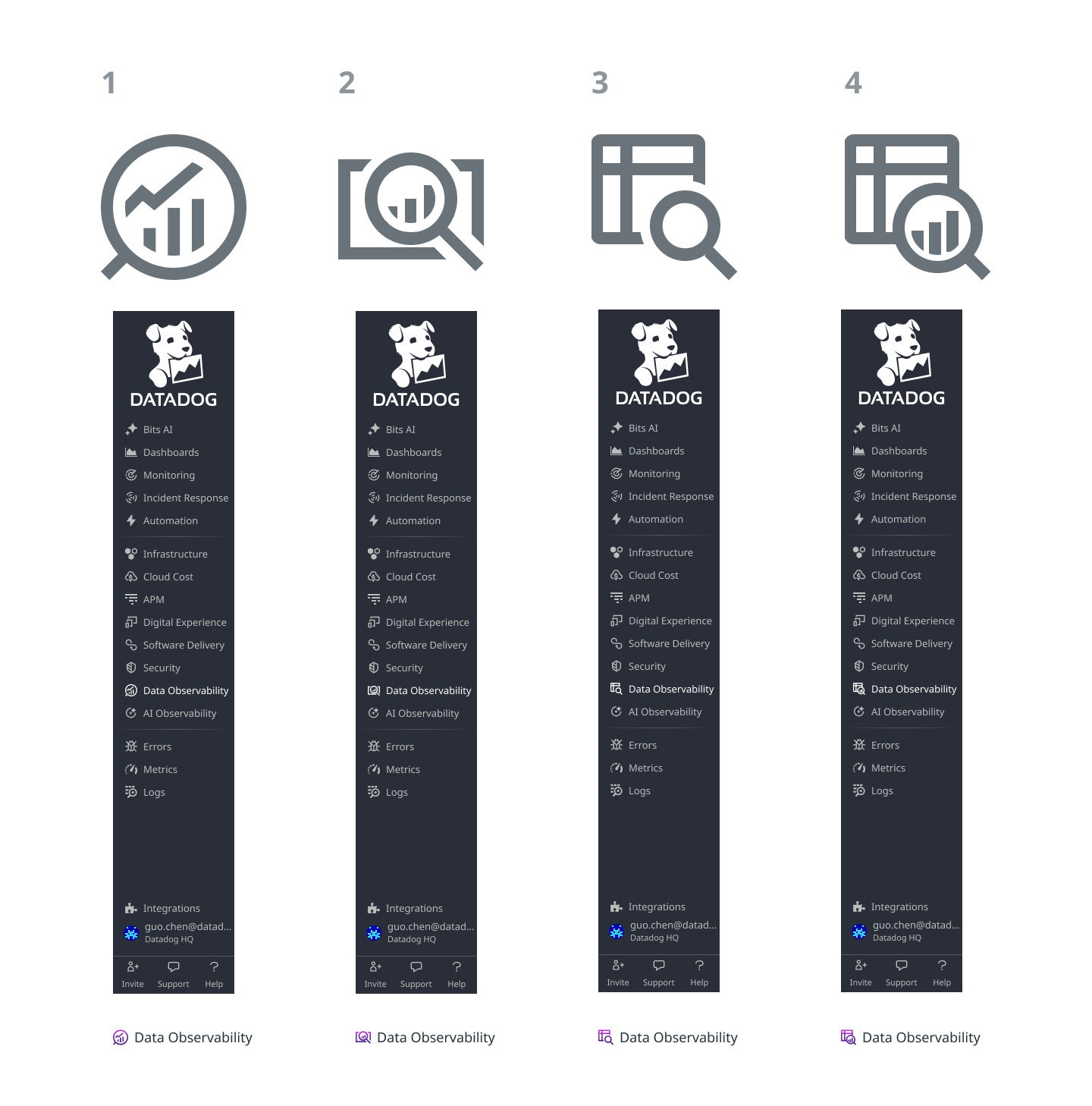
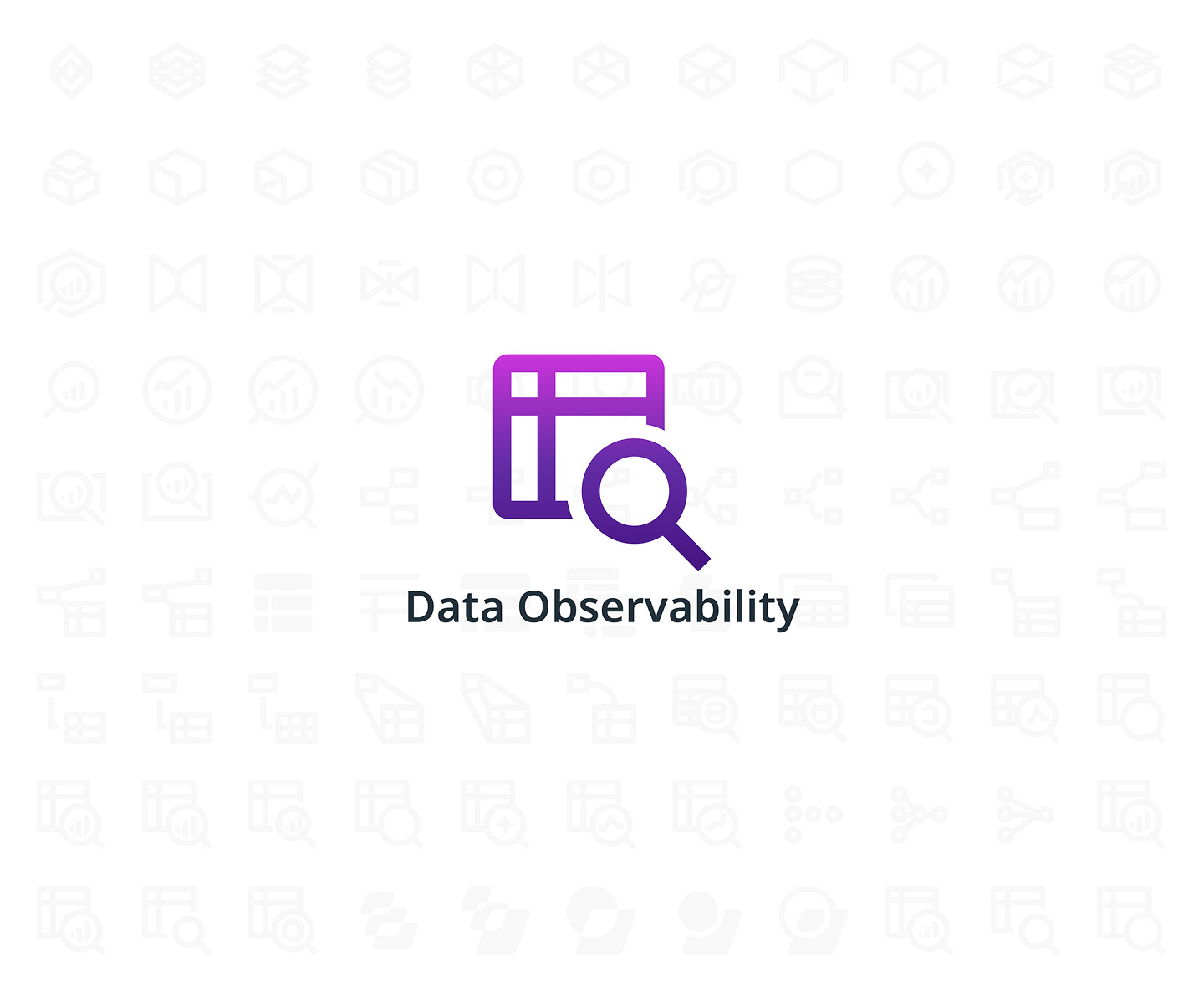
In the end, we decided on the logo below. A table (“Data”) with a search on the bottom right (“Observability”). It checks all the principles. If you ever log into Datadog, you can find it in the main left navigation.
This was also when I learned one of the most effective ways to get higher-level stakeholder feedback from Kevin. You present the idea, explain the reasons in a numbered list, and ask a simple question:
Any objections?
If you don’t get any response, then you’re good to go. It would have been a disaster if we instead asked, “What do you guys think? Any feedback?”
To this day, it still feels surreal to open up Datadog and see the logo I designed sitting in the core Datadog main navigation.
5. Team offsite in Paris
It would be silly to say that I didn’t hope for this. It’s amazing to have the opportunity to travel outside of the States for work and paid for.
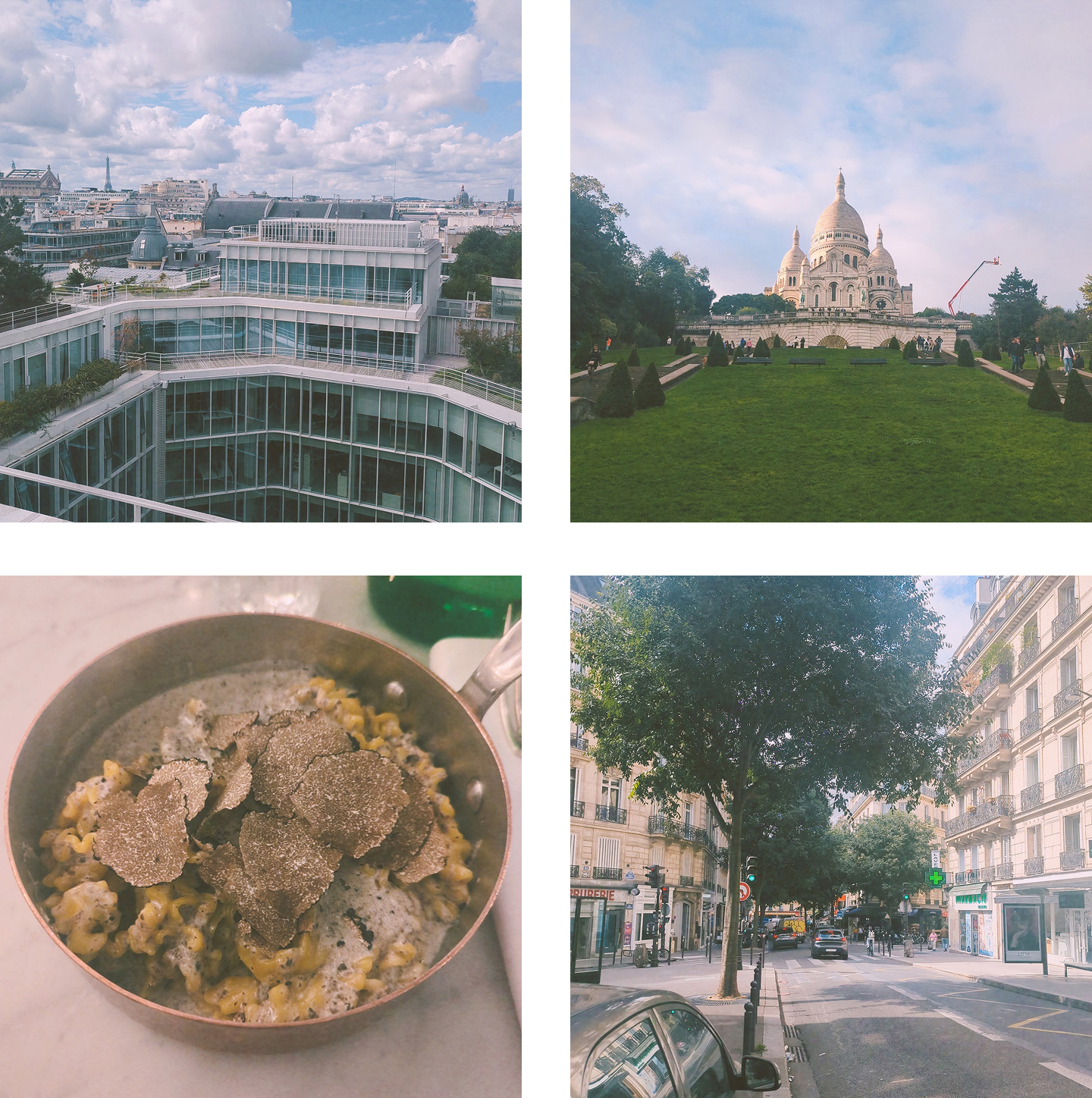
And I loved it. The office was beautiful. And on the rooftop, we could see the Eiffel Tower. Due to time zone differences, I was exhausted every day after work. But I still tried to squeeze in some time for sightseeing.
6. Improving integrations onboarding
Toward the end of my time at Datadog, I shifted to focus specifically on improving onboarding and integration setup for my product. It was a new challenge.
The tricky part? We have 17 integrations. 17 ways to connect to our product. And worse? They each have a completely different setup and papercuts to fix.
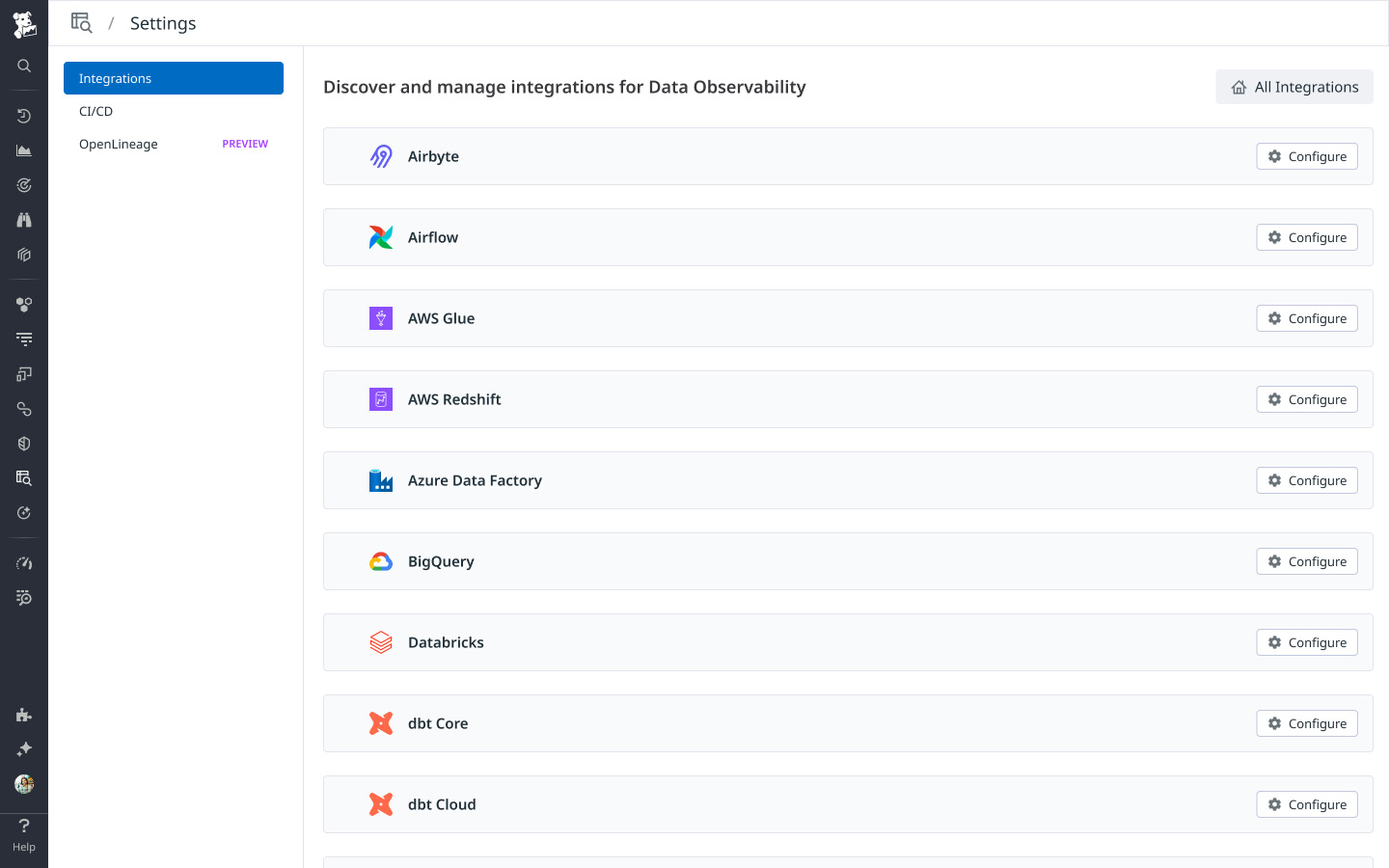
Luckily, everyone in the pod was very patient and willing to answer questions. So, I soon established a system for tackling each integration while also shipping broader onboarding improvements.
My biggest learning from this is: Go through the actual setup myself and feel the pain. Integration setup is arguably one of the most complex areas because it requires you to understand how each integration works. Going back to my lessons about learning, this felt like the most practical application. Below are the exact steps I took:
- Set up a call with an engineer to make sure I have everything ready (account access).
- Set up a call with the team for the walkthrough.
- In the call, walk through the steps of setting up that integration in our product by following documentation or the product UI. Talk out loud about friction points, confusion, etc. Record this.
- [If needed] Schedule a part 2 walkthrough. The end goal is to go from seeing nothing to something in our product.
- Synthesize the key pain points and themes from the walkthrough and share with the team.
- Work in Figma / Claude Design on the designs and collaborate closely with the engineer.
It was nerve-racking. I’m not a data engineer, and I’m not technical. So during those walkthroughs, it feels like I’m alone in a stadium and making stupid mistakes. And the worst? The audience is my team (domain experts/engineers) who are watching me step by step. Regardless, it’s incredibly helpful. The best you can do is to feel the pain and help people on your team feel it too. And a lot of times, the pain is more universal than we designers think.
Claire Taylor, designer at Superhuman, said this well here:
To design is to feel first… the pain or confusion of a poor experience so users don’t have to.
As designers, a lot of times we underestimate how important feeling is when using a product.
Before I left, we shipped a good number of improvements, and I’m super proud of the work I did with this pod. This pod was also one of the reasons that made leaving so hard. I felt like I was getting into a groove. I enjoyed working with them as they were not only knowledgeable, but also always down to chat and answer my questions.
7. Going deep into lineage world
One of my favorite memories was working closely with Colby (engineer) on ways to improve our lineage map. Lineage is a huge selling point for our product. It’s a key value proposition for us to link together all of your data systems.
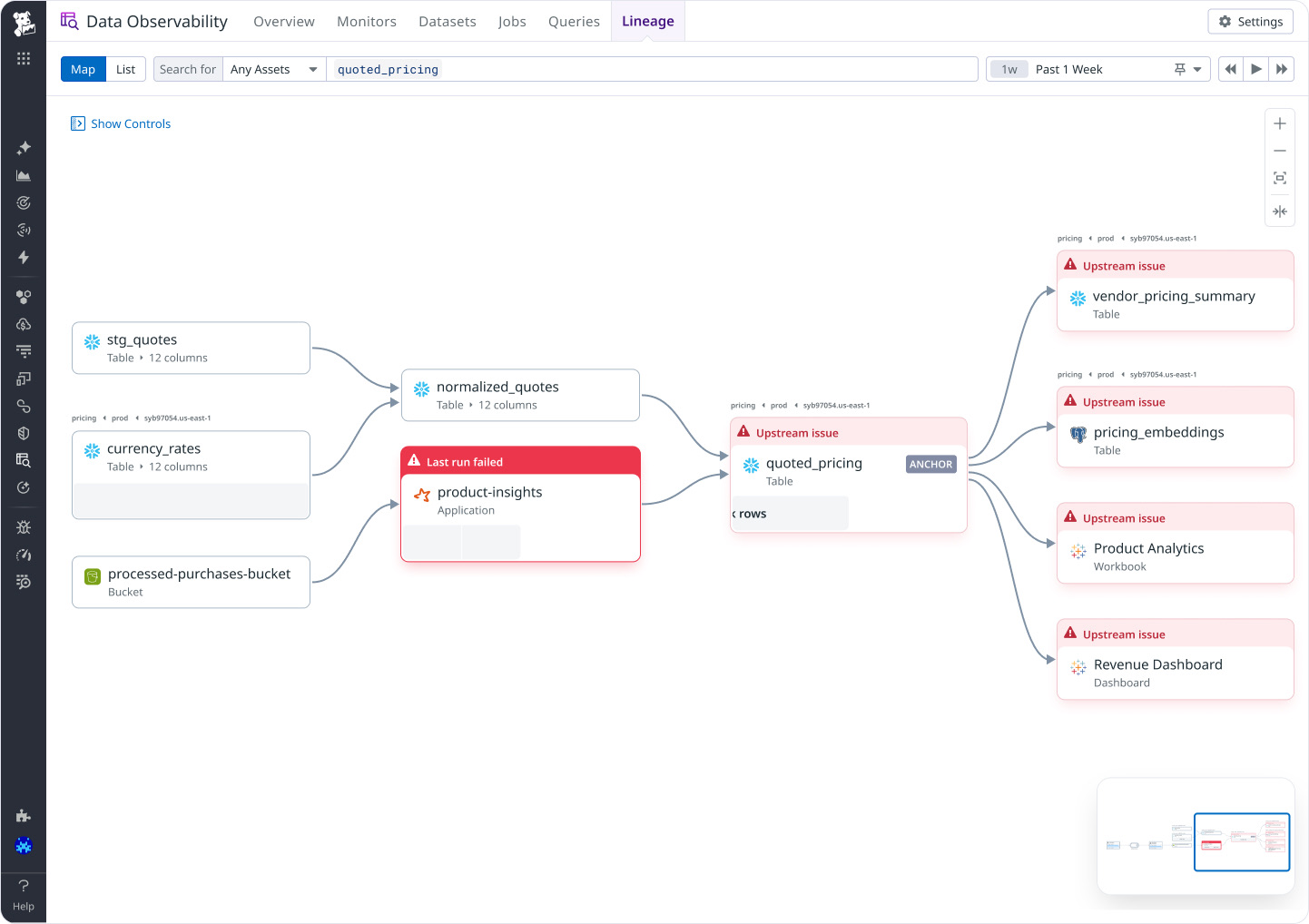
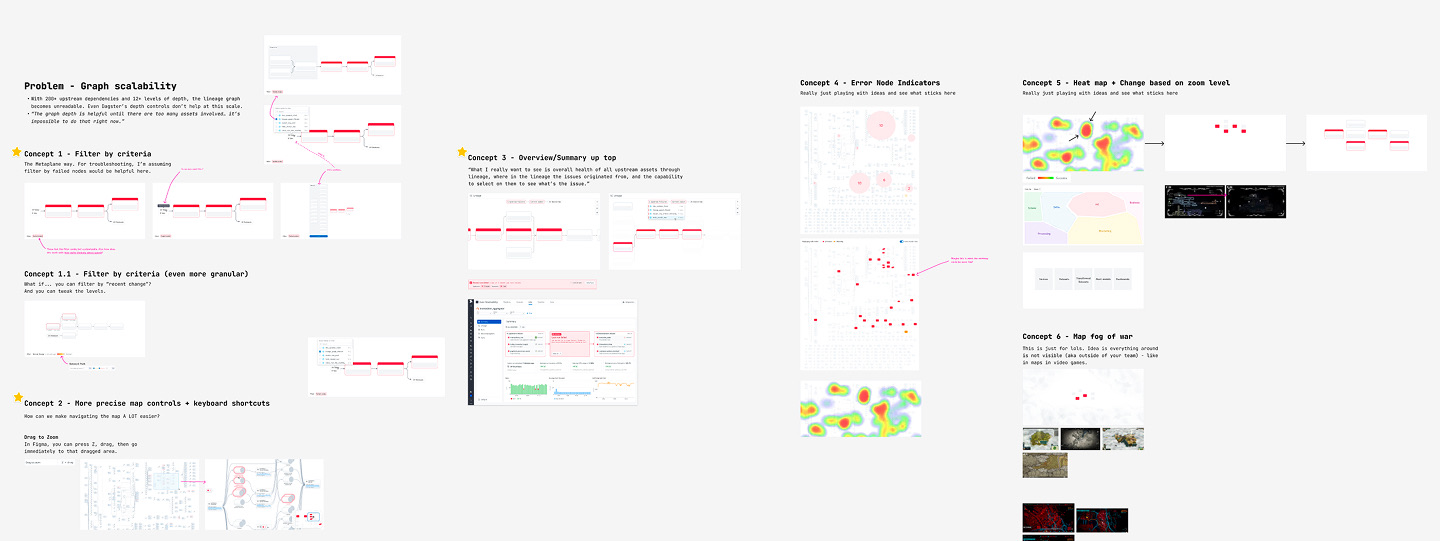
In the early days of lineage, I would come up with so many different map ideas. Video games inspired lots of them, including fog of war, directional navigation, and more. It was super collaborative and fun, and though not all of them saw the light of day, I enjoyed that exploration period. Thank you, Colby, for being such an amazing and open teammate.
8. Hackathon demo
During my second team hackathon, I collaborated with Shradha (designer) to propose a couple of ideas on what the future of our product enhanced by AI could look like.
It took us a long time. And a lot of struggles (at least for me) to land on these specific ideas and build out the prototypes using Cursor. But I was very proud of what I presented. I unfortunately am not sure if I’m able to share them here due to NDA, but all I can say is that the team was ecstatic. One of them eventually became an OKR project which I worked on.
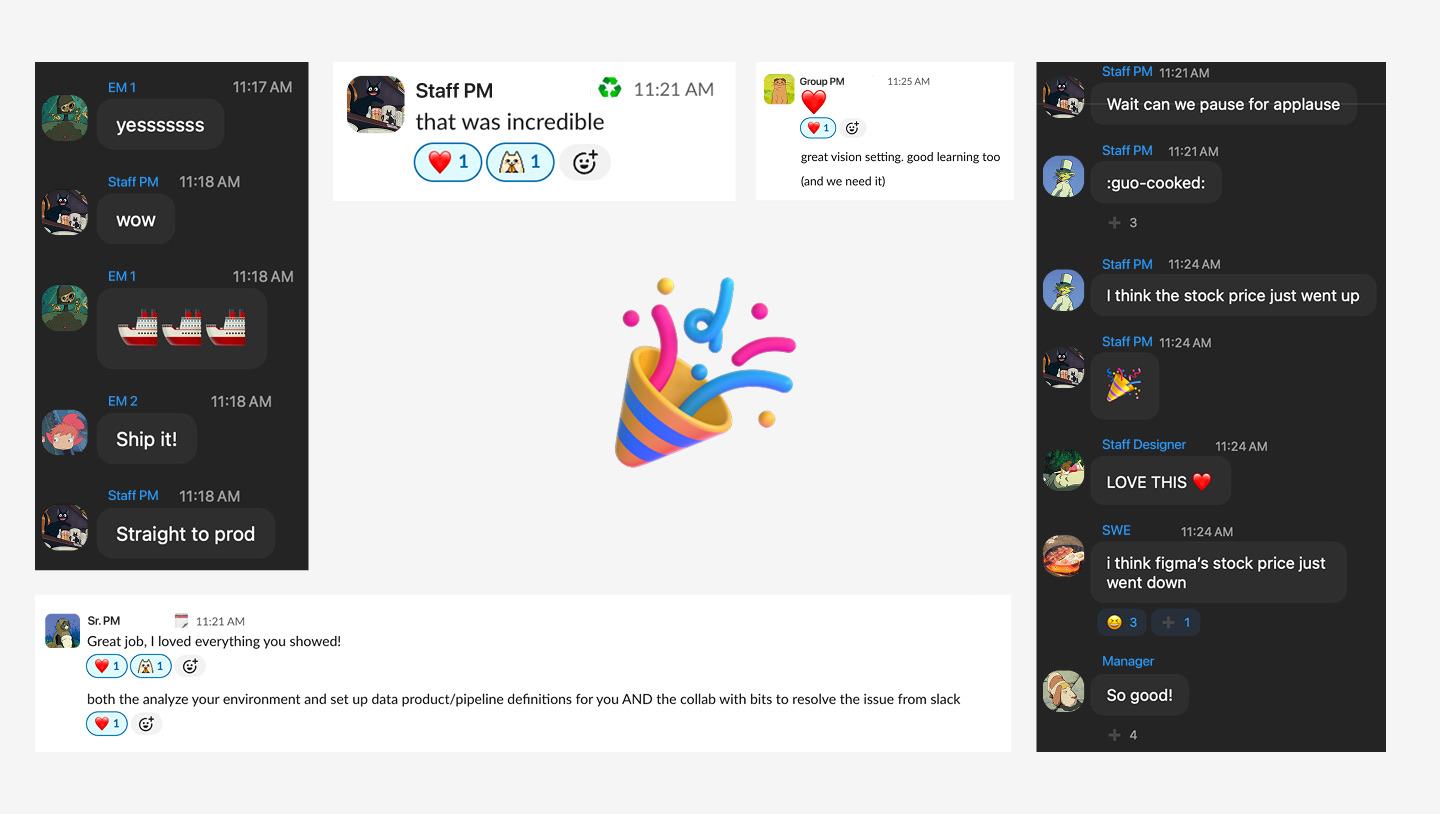
This was the first time I felt the impact and value of a good demo. A good demo needs to be clear, short, and exciting.
9. Team bonding
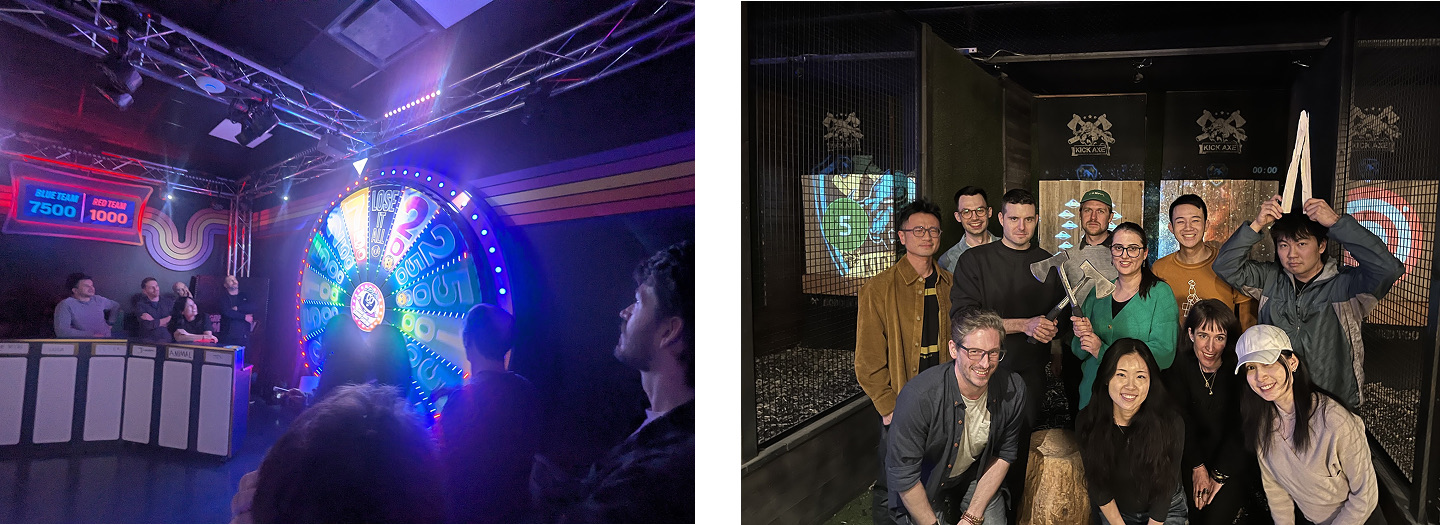
Over the two years, I’ve been a part of several team and design pod bonding events. Those were always a lot of fun. The spinning wheel game was a blast, and thank you, Devin, for carrying us hard. The design pod bonding of axe throwing was a first for me as well.
10. My design pod
This was the hardest reason to leave. I’m bad with words, so perhaps this did not communicate as clearly in person during the design summit.
Simply put, I could not have wished for a better design pod. Thank you so much, Shradha, Sarrah, and Alica.
Shradha - Thank you for always bringing positive vibes and energy to the team. You were always the first to jump into new design tools (Figma Make → Claude Design), and you were such an amazing collaborator for the design ahead work.
Sarrah - I’ve learned so, so much from you that I don’t even know where to start. Confidence & not being afraid to speak out your opinions. Going back to the design fundamentals and not losing sight of them because of AI. All the hard work to learn and become a domain expert. Thank you for being such an honest, supportive, and, which is something I took for granted, fun mentor.
Alica - You were an incredible manager. You were always caring about my work, and you have this ability to sense that there’s something wrong with me and ask me about it, which I really appreciated. Thank you for always pushing me to not just think about the local minimum solution, but also to explore widely and ask why.
As an early designer, I felt incredibly safe and supported by you all. It was such a fun and tight-knit space to chat about design, team, career, and honestly so much more. I’ll really miss our 1:1s and the weekly Monday “North Star Design Sync.”
Until next time
To end, I want to say: Thank you. I’ve learned so much as a designer, and thank you to everyone I’ve collaborated and chatted with at Datadog.
As for what’s next, this is my second week working as a product designer at LangChain! The pace is fast, and I’m already working on my first project. In the future, if I have time, I may write another article on how I landed the role (job search is hard), but regardless, it’s time to lock in!
Newsletter
I share new posts, designs, and cool inspirations.